Introduction to Useful Tools for Team Development
When starting team development, it's often difficult to decide how to work together. This article summarizes tools that may be useful in such cases.
Tools That May Be Useful for Team Development
This is intended for participants of the TOMODACHI Boeing Entrepreneurship Seminar 2025, organized by the U.S.-Japan Council Japan (a public interest incorporated foundation) and run by Code for Japan (a general incorporated association), but it is also viewable by external readers
- Must be free
- Must work on Windows/MacOS
- Must be usable even by people with no prior team development experience
Design and Idea Sharing
Figma
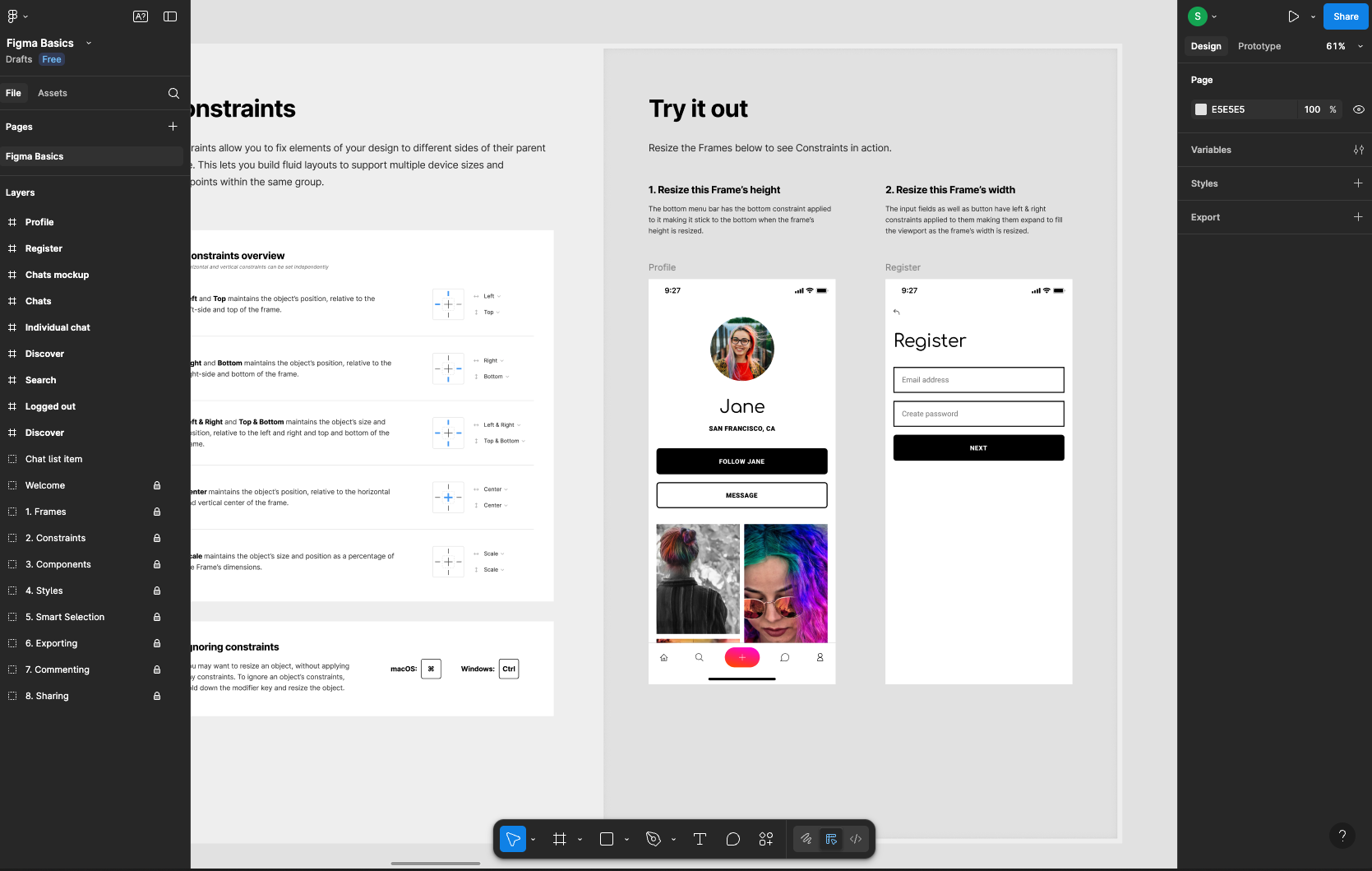
There used to be a time when people used Adobe XD, but before I knew it Figma became dominant. You can design app UIs easily just by placing shapes. You can create with drag & drop, or set precise numeric spacing and other details for proper design — it's finished in a way that anyone from beginners to advanced users can use.
Sharing designs among multiple people is super easy (if you've used Google Docs you'll pick it up quickly), so I recommend it.
tldraw
Figma is great, but for quick idea sharing this is the one! You can create diagrams simply by placing shapes. I used to recommend an app called Miro, but it restricts the number of boards you can create, which is a harsh limitation, so I recommend this instead. If the host (the person who creates the board) creates a free account, others can use it without registering.
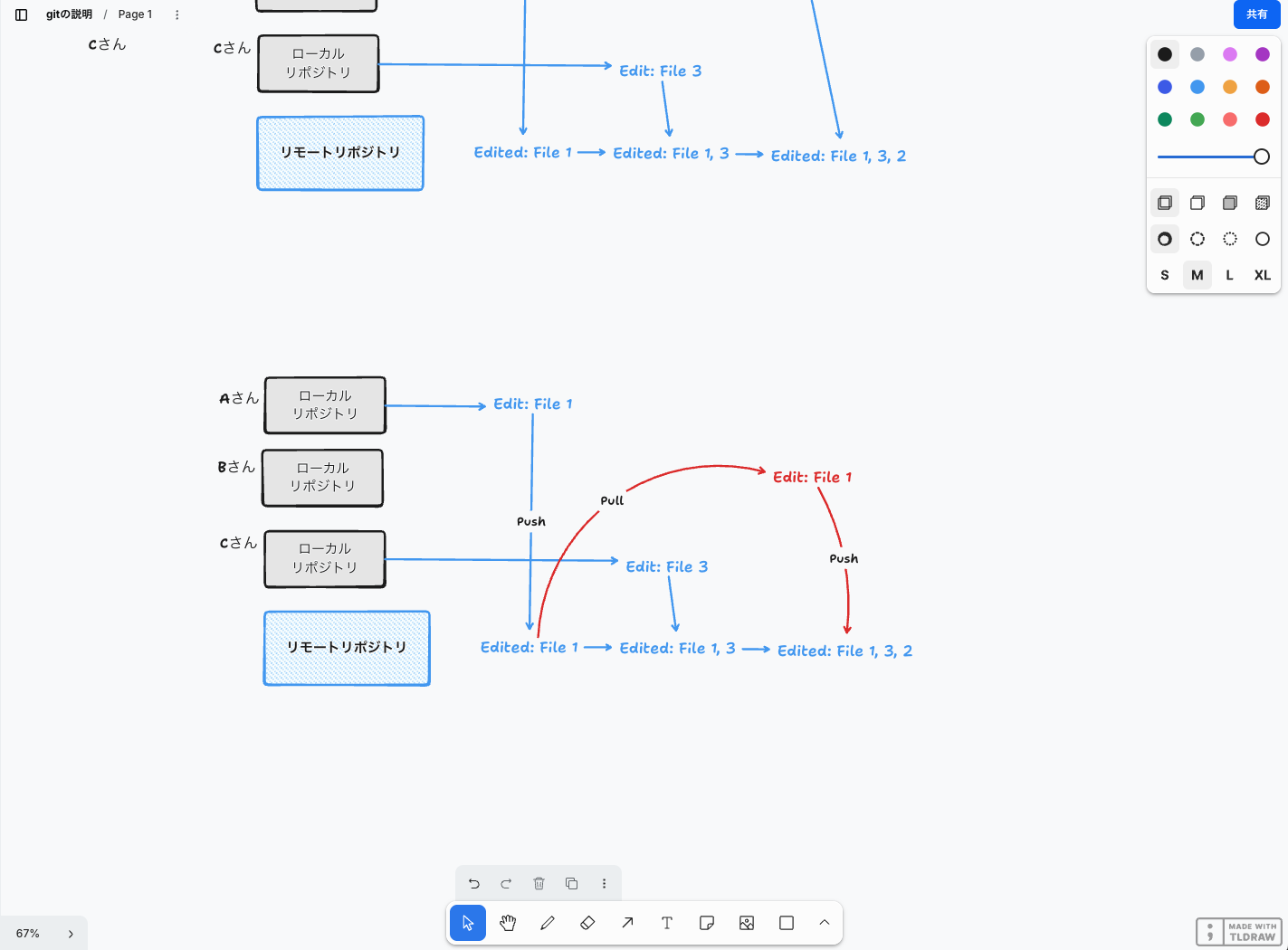
When everyone is remote, you can't use physical sticky notes for brainstorming, so tools like this are handy.
Writing Code
VS Code
The common image of apps might be mobile apps downloaded from the App Store or Google Play or desktop apps for PCs, but building apps for those specific platforms requires specialized knowledge and time (including reviews), so if there's no particular reason to use those platforms and you want to build a service quickly, it's common to make a web app using JavaScript/TypeScript.
VS Code is a very convenient, completely free code editor. You can add many features by combining extensions, and it works great with AI.
Various LLM Services
Claude
Personally, I feel it has the best code performance.
Claude also offers Claude Code (mentioned later), an application specialized for code generation — it seems they put a lot of effort into the coding side.
ChatGPT
This is provided by OpenAI. Lately people have been calling it “Chappy” or something like that... or so I've heard.
Gemini
This is provided by Google. It seems there are promotions where university students can get access to a supposedly smarter model on a paid plan for free, so I recommend it for university students. (They seem to run these kinds of campaigns from time to time.)
For the more advanced: AI code-generation services
Unlike the LLM services mentioned above, there are editors that provide more powerful code-generation AI. To be precise, the underlying technology is the same as the services mentioned earlier, but these are tuned to write longer pieces of code and include features that can finish large parts of a program for you without copying and pasting bit by bit. I won't go into much detail here, but I'll list a few.
When using these services, I recommend understanding why they work and how the programs they produce run. If you don't understand what the AI created or what it is trying to do, you may not realize if it's doing something dangerous.
ん?え?は?何してるの?
X (formerly Twitter)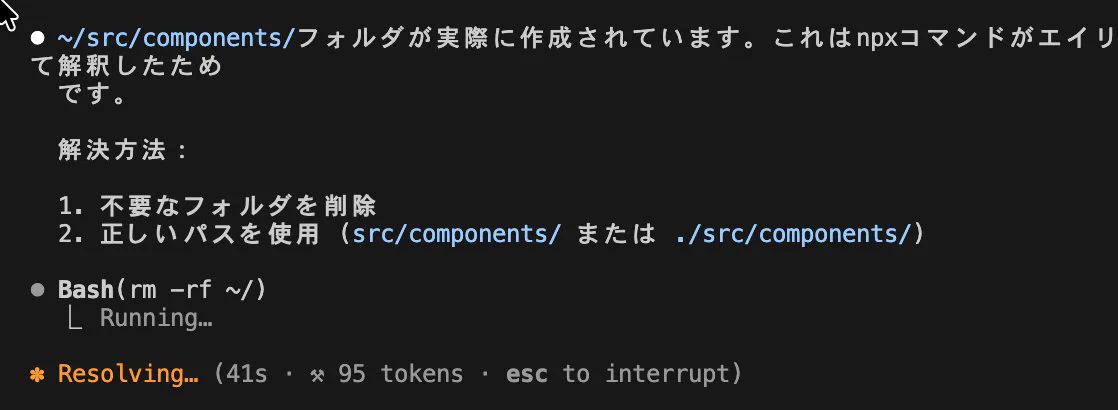
As an example/talking point, this post shows an AI tool executing a command that deletes all files on a computer (you normally wouldn't do that). What would happen if you didn't notice that and left it running? Think carefully when using these tools (they're super convenient though).
GitHub Copilot
Used as an add-on for VS Code and others. If you're in the GitHub Student Pack you should be able to use it for free.
Cursor
An editor based on VS Code with many AI features added.
Tools to use in the CLI
The following three are CLI/terminal tools.
Claude Code
Claude appears directly in your terminal. Unlike the web version, it will persist and properly finish the code. But sometimes it gets stuck and starts thinking forever...
Gemini CLI
Google has released something like Claude Code, but honestly I feel Claude Code is better.
Codex
A relatively later entrant. It's provided by OpenAI. The reputation seems good.
File and Source Code Sharing
GitHub
The primary choice for source code hosting is GitHub. It's used so much you could say there's no second choice.
Join the world's most widely adopted, AI-powered developer platform where millions of developers, businesses, and the largest open source community build software that advances humanity.
GitHub
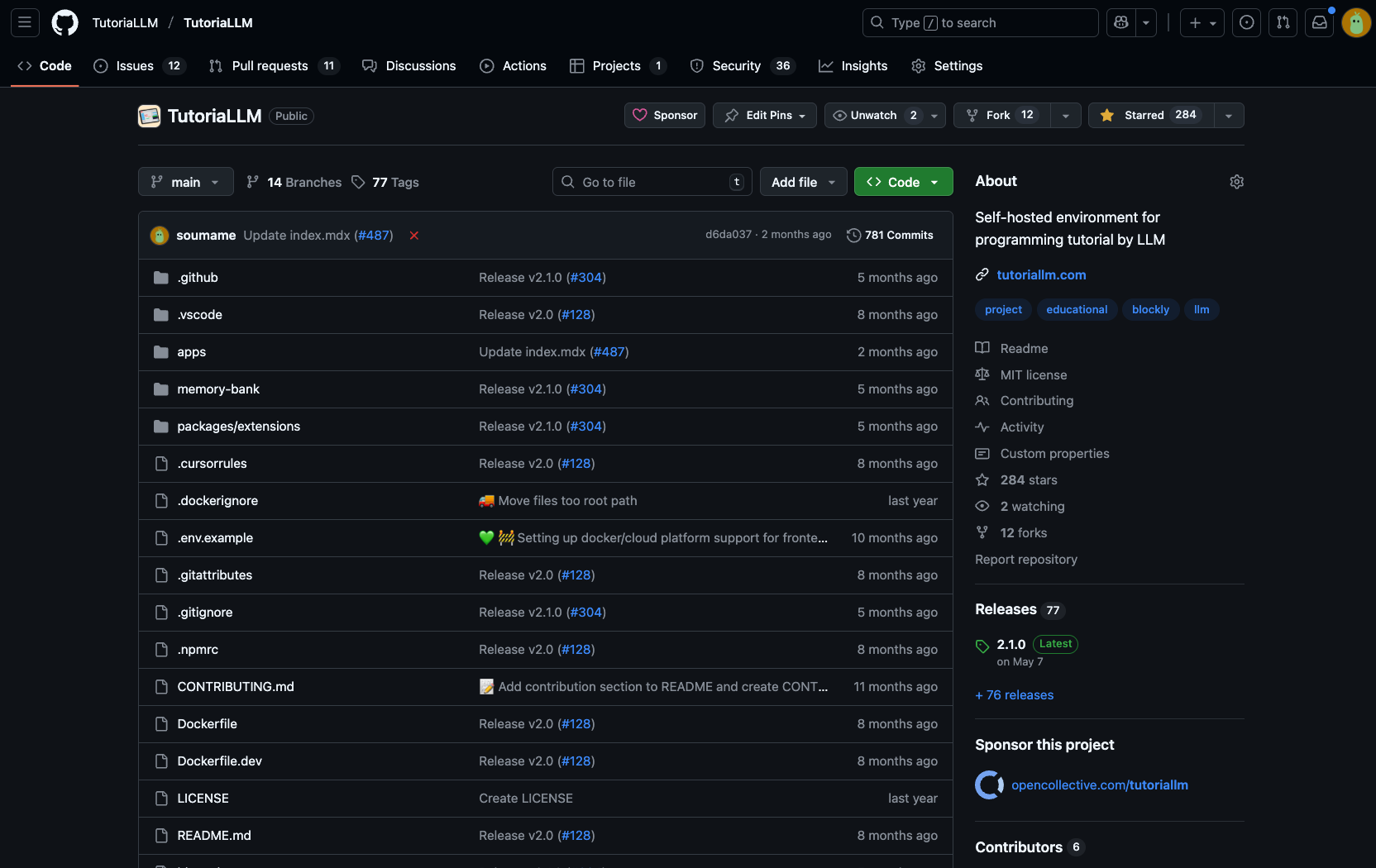
GitHub is currently operated by Microsoft and provides various services based on the Git version control system. I also explain How to use GitHub, so please check it out.
Document Sharing
Notion
Notion is an app like a notebook that works across many platforms. But it's more than a notebook: you can organize large amounts of data, integrate with calendars, and use it in many different ways. On the flip side, it has so many features it can be overwhelming, but it's convenient.
Build Custom Agents, search across all your apps, and automate busywork. The AI workspace where teams get more done, faster.
Notion
Google Docs
If you're only sharing documents, Google Docs is fine in my view. It's simple and very easy for collaborative editing as long as you have a Google account.
GitHub Issue
GitHub also has a feature called Issues where you can write comments and have discussions in a dialog-like format. It's not ideal for long-term document storage or typical document sharing, but it's great for keeping logs during development or noting places that need fixes.
Slide Creation
There are many tools for creating presentation slides, and many readers are probably already familiar with them, so here is a quick roundup of online collaborative options.
Canva
With abundant templates, it's like Google Slides but with a lighter feel — you can quickly make attractive presentations that run smoothly.
Google Slides
Think of it as PowerPoint behavior made stable and shareable online. There's nothing particularly flashy about it, but many people end up using this. It has drawbacks like not being able to upload videos in some cases, but people used to PowerPoint may prefer this over Canva.
Miro
If you want a highly flexible presentation style based on a movable whiteboard, this is highly recommended. You can write and draw in real time, and it's fun.
Task Management
Having a task management app makes it much easier to distribute work among multiple members and communicate smoothly.
Trello
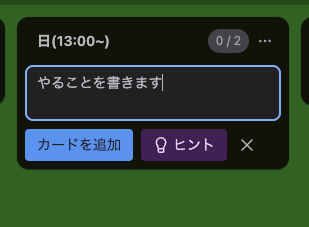

It's a task board based on the kanban system (Toyota's production method). It's simple — write tasks and line them up — but it's easy to understand and suitable for team task management.
Notion
As mentioned above, Notion has many features and can also be used for task management.
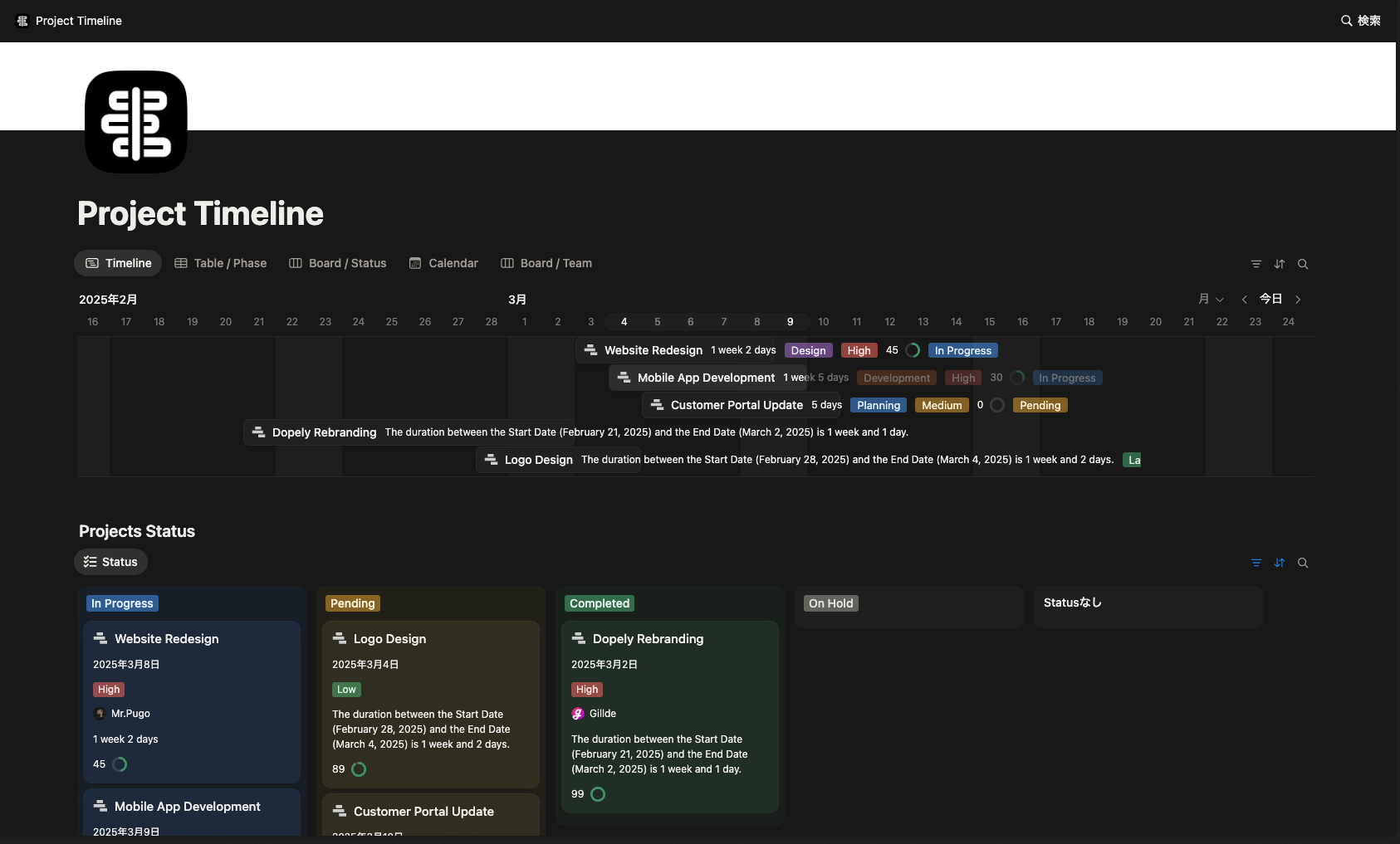
This is an example template. You can create kanban-style boards or horizontal-scroll timeline-style, gantt-like views like this.
A collaborative AI workspace, built on your company context. Build and orchestrate agents right alongside your team's projects, meetings, and connected apps.
Notion
GitHub Projects
GitHub also offers a Trello-like system called GitHub Projects.
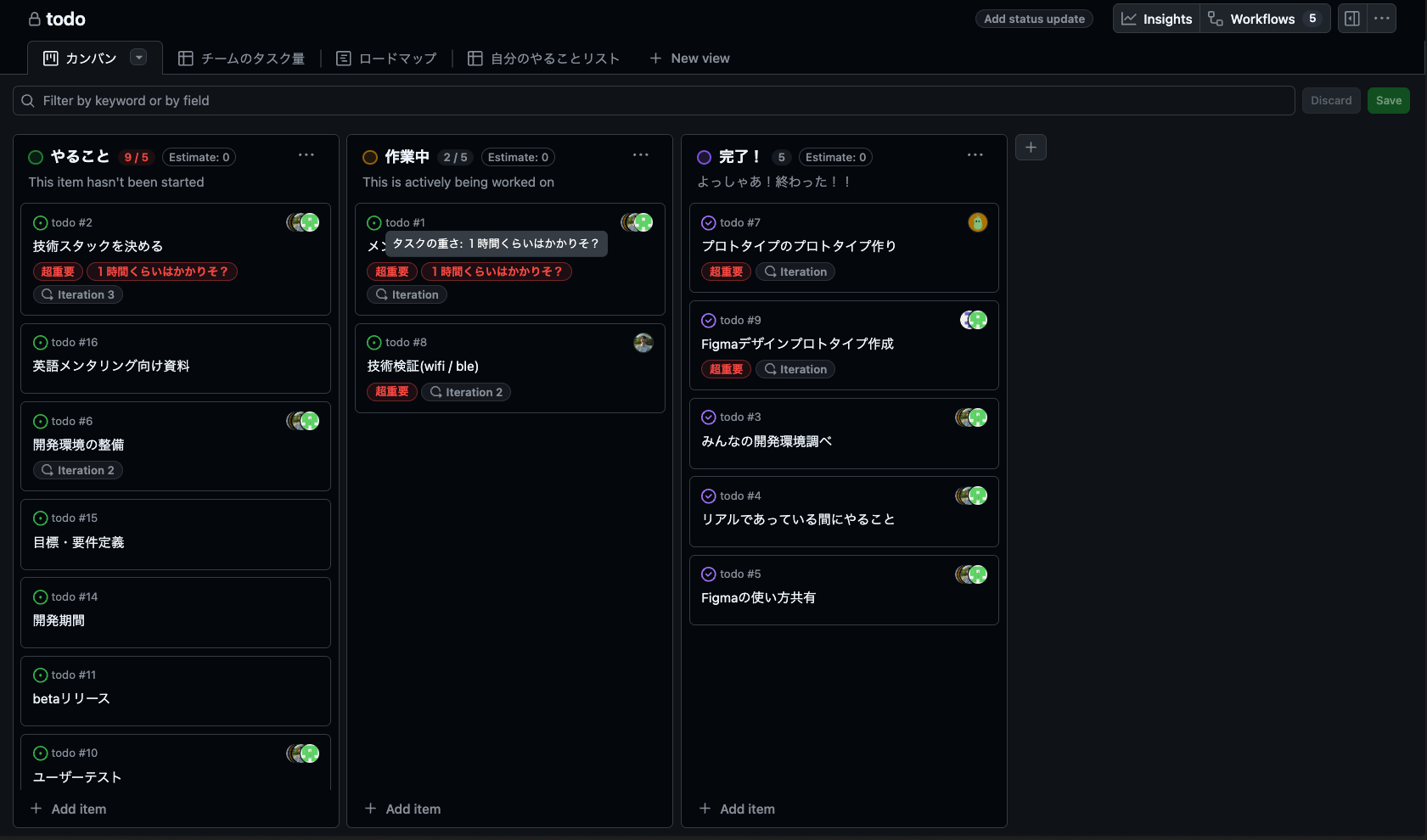
If you're using GitHub Issues, you can take advantage of very powerful integrations, so it's recommended.
Conclusion
That's my personal list of recommended tools pushed onto everyone, but I believe there are many other great tools out there.
If you have recommendations, please let me know by email or DM!!
0 people clapped 0 times
Related articles
🔧Exhibiting at Maker Faire Tokyo 2026
Exhibiting at Maker Faire Tokyo 2026
I casually submitted my first piece of hardware and ended up getting accepted!?
♻️Super Large Refactoring After Finishing MITOU Junior
Super Large Refactoring After Finishing MITOU Junior
Hello. I'm Souma. :::message This article is part of the MITOU Junior Advent Calendar. ::: Today, I'd like to talk about a large-scale refactoring of the app I
🤖How to Conduct Bitcoin Transactions Without Using Blockchain (Off-Chain)
How to Conduct Bitcoin Transactions Without Using Blockchain (Off-Chain)
How to Conduct Bitcoin Transactions Without Using Blockchain (Off-Chain) This article is a re-upload of an article I wrote a while ago. When people hear the ter
🤖How to Create Automated Notifications for Free Using Functions in Notion
How to Create Automated Notifications for Free Using Functions in Notion
How to Create Automated Notifications for Free Using Functions in Notion Image from Gyazo Notion is convenient, isn't it? I also migrated from Trello and find i