How to Mine with Nicehash
How to Mine with Nicehash

Here’s a quick explanation.
What You Need
- A computer
- An email address
Creating a Nicehash Account
First, go to the official Nicehash website via the link below:

Click GET STARTED.
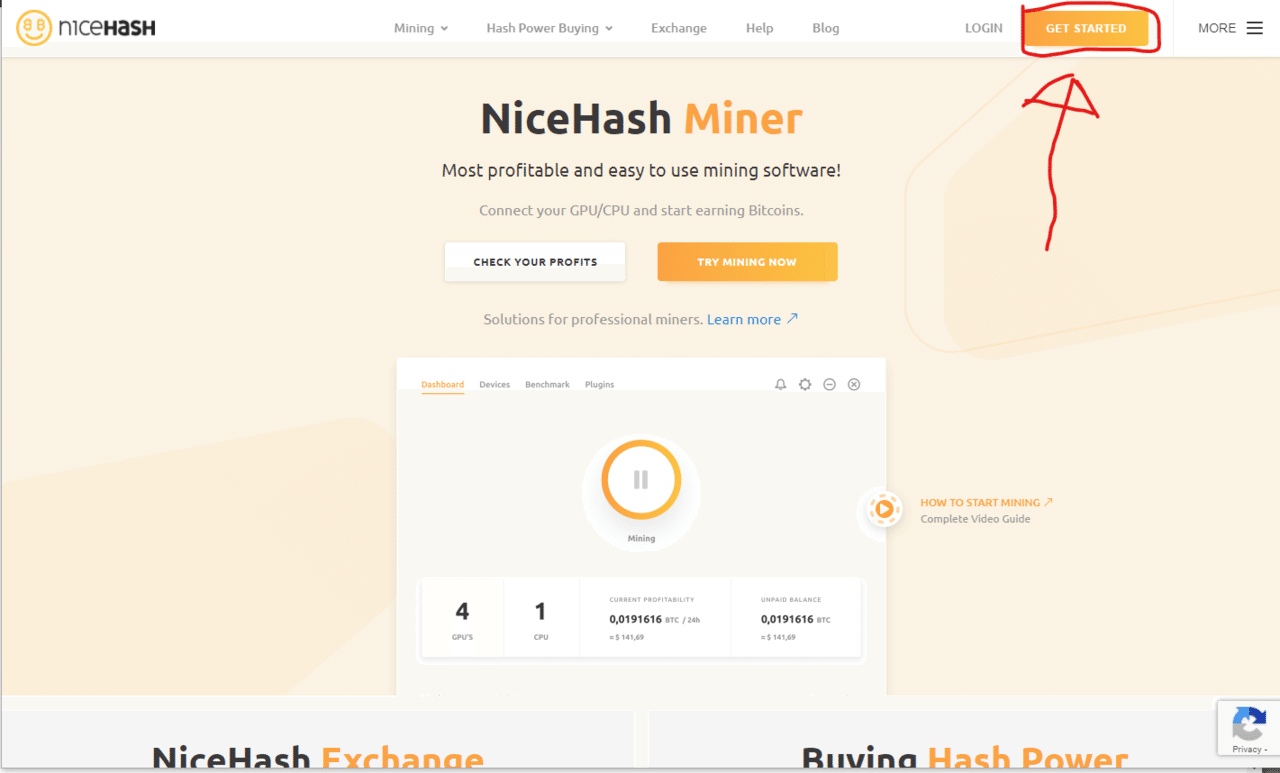
Follow the steps to enter your email and password.
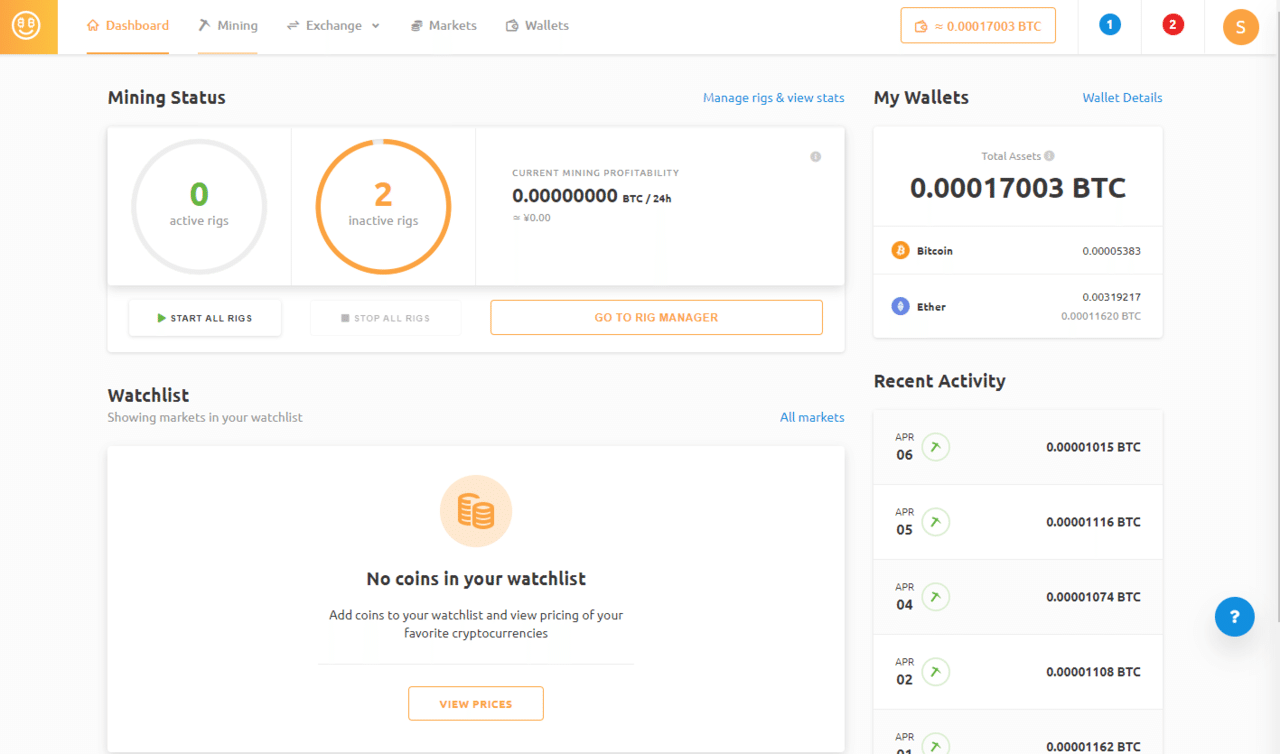
If you can reach a screen like this dashboard, you’ve succeeded!
Downloading and Starting the Software
Your account has been created! Now, we will download the software to your computer and start mining!
Follow the link above to download Nicehash Miner. It should probably be at the top. If you have an NVIDIA GPU, you can also use Quickminer (this won’t be explained here; if you’re unsure, please download Nicehash Miner).
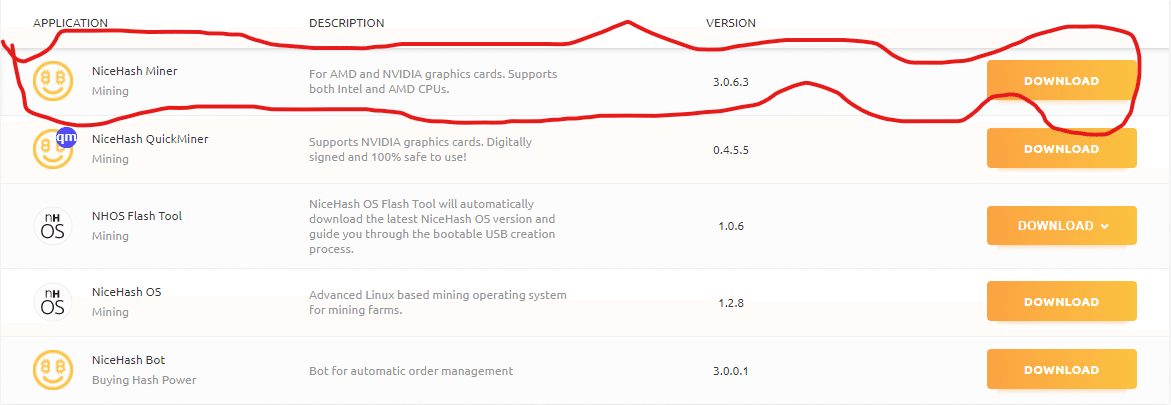
Once downloaded, install it following the instructions. All settings should be fine with the defaults.
If the download completes and you log in, and you can reach a screen like this, you’ve succeeded.
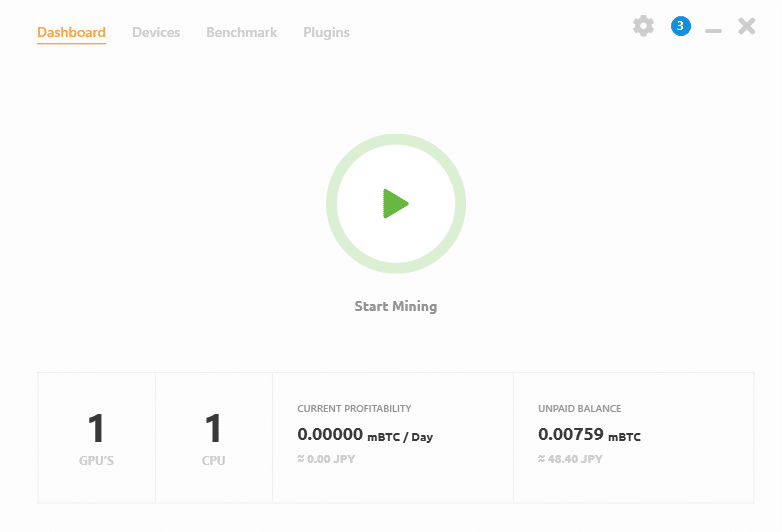
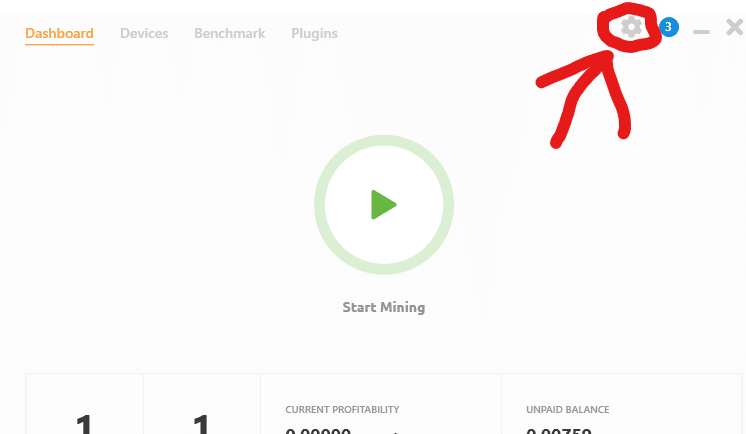
Enter your wallet address. Click the gear button to input your wallet address.
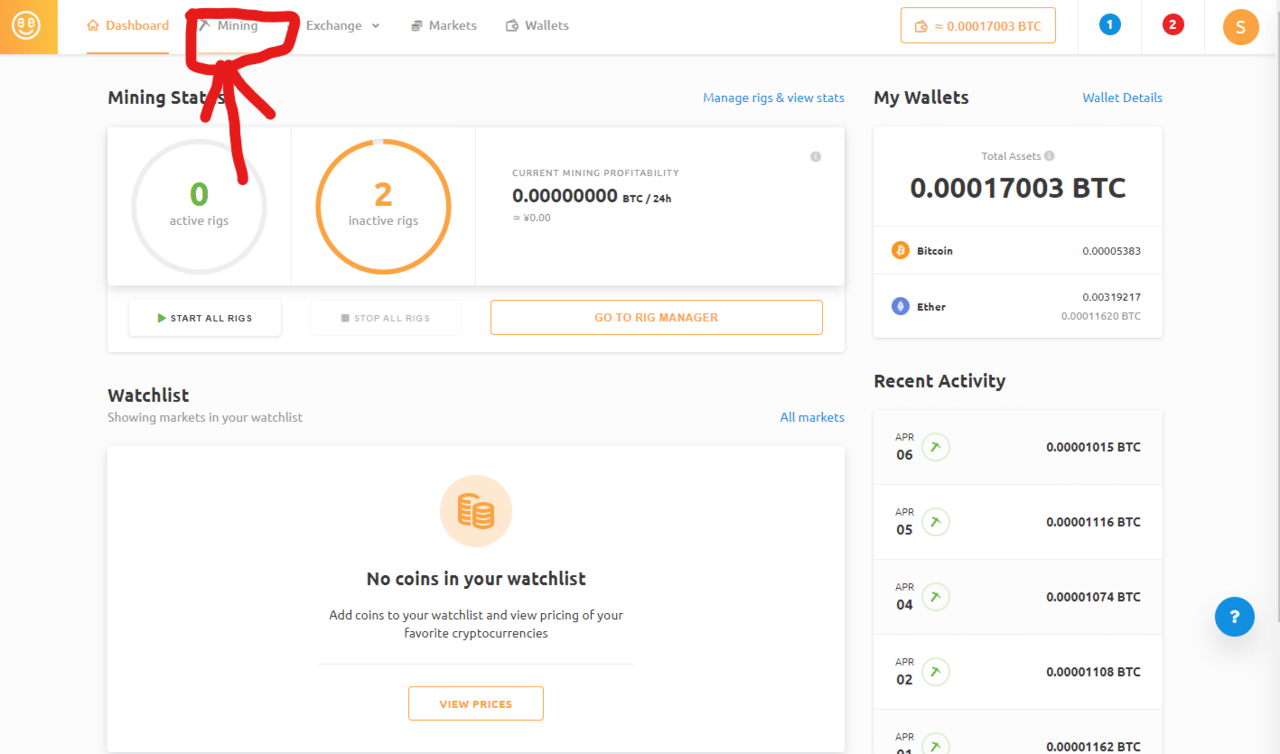
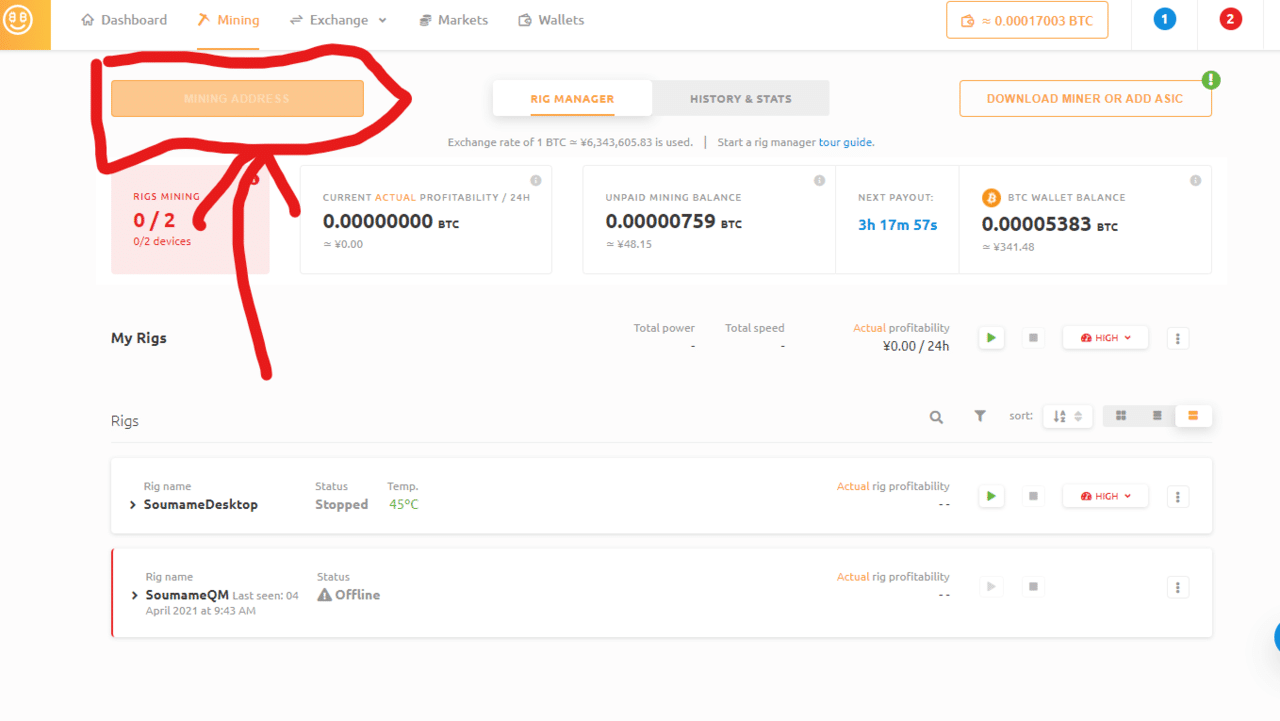
You can view your wallet address by clicking the orange button located in the Mining tab of the dashboard.
Now you can use Nicehash.
By pressing the start button displayed on the software (the one that looks like a YouTube play button), it will start mining automatically.
0 people clapped 0 times
Related articles
🍳 XR's Use Might Be as a HUD - Let's Cook with AI
XR's Use Might Be as a HUD - Let's Cook with AI
I borrowed an inmo XR — Android-powered XR glasses — from Ukai, familiar from Mitou Junior, and did a little hackathon. After struggling with what to use it for, I built a cooking assistant to enjoy with an AI. I tried using the XR glasses to cook with AI, so I'll introduce that here.
💻 Let's Develop as a Team on GitHub
Let's Develop as a Team on GitHub
For those of you who have registered a GitHub account but don't use it because you're not a developer, here's a brief guide on how to use it.
🤖 Let's Read Google Sheets via API!
Let's Read Google Sheets via API!
This is a re-publication of an article I wrote on another site last year.
It's super easy. I'll...
🗓️ Thoughts on Life Logging Systems
Thoughts on Life Logging Systems
With the advancement of LLMs, it has become easier to verbalize human behavior and analyze conversations with others. However, I felt that none of it quite fit, so I thought about various aspects from both technical and usability perspectives.