How to Create Automated Notifications for Free Using Functions in Notion
How to Create Automated Notifications for Free Using Functions in Notion
Notion is convenient, isn’t it? I also migrated from Trello and find it very useful, but there is one thing that is disappointing.
No notifications even when the time comes…
A few days after I started using it, I realized that reminders don’t come.
Unlike Trello, Notion does not automatically remind you when you set a time; you need to either type /remind or toggle a switch when setting it up from the calendar property.
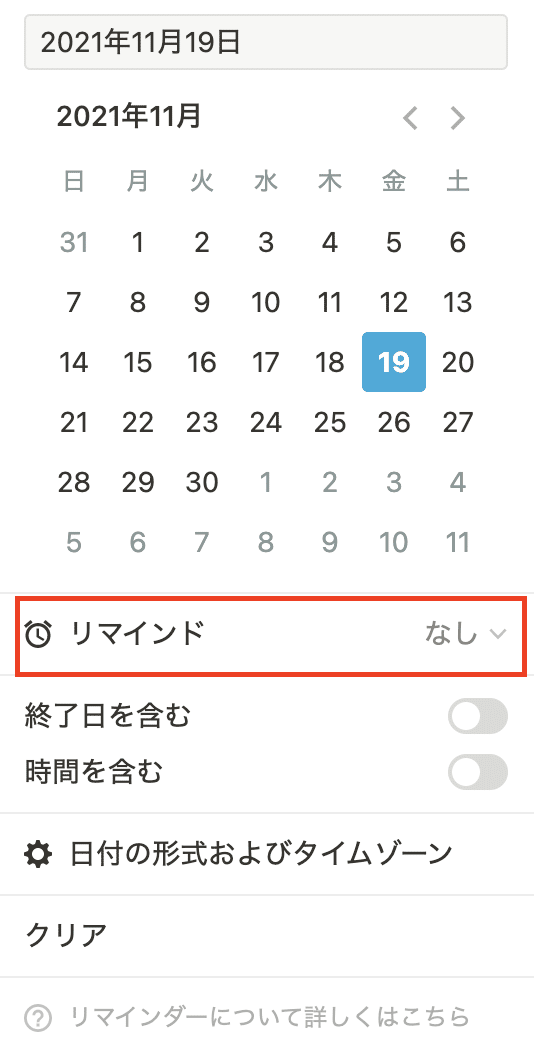
“Oh, it’s just a toggle,” you might be thinking!
This feature can be quite tricky; if you forget to toggle it while jotting down notes, you won’t receive any notifications when the due date arrives. This is incredibly inconvenient.
So, I decided to rely on external tools to overcome this inconvenience.
the:gist
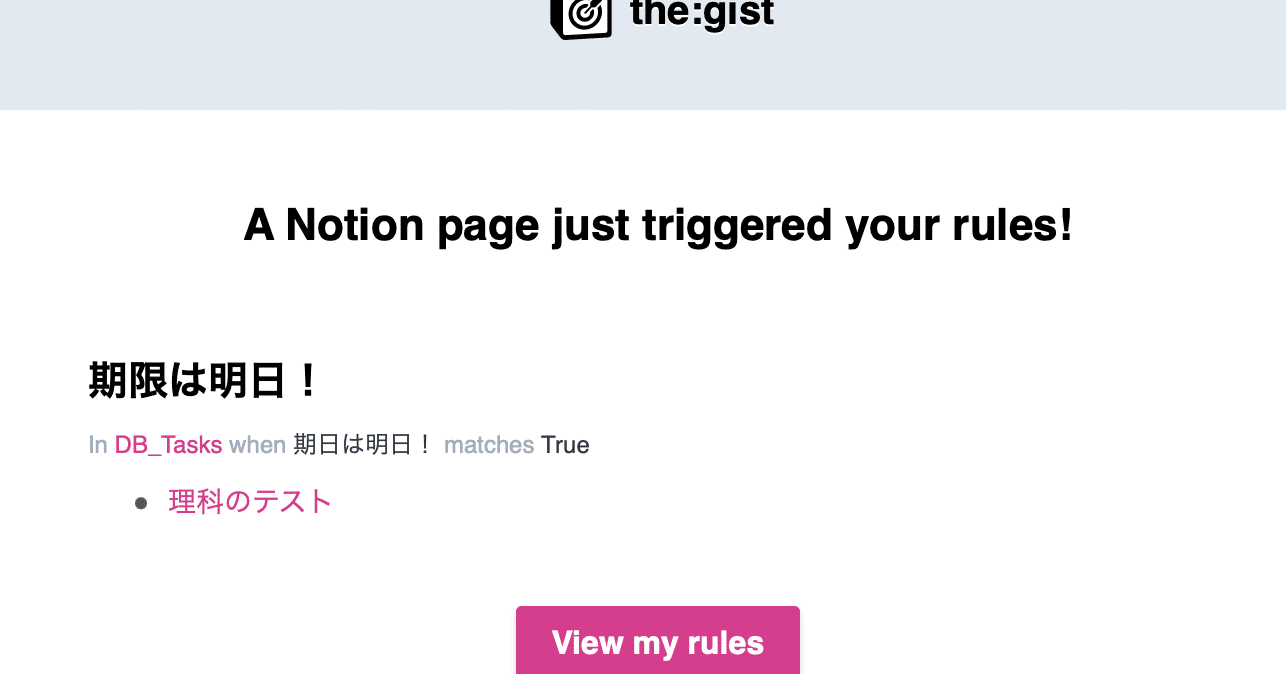
By using “the gist,” you can create automated reminders for free. This app is a service that detects specific events and sends notifications.
“the:gist”
Price: Freemium (only the first one is free)
Function: Detects events in Notion
Let’s Set Up “the:gist!”
the:gist is a handy software, but it requires a little setup to use as a reminder. Since I couldn’t find it on other websites, I decided to write it here.
Notion Settings
As mentioned earlier, the gist is an app that responds to specific actions, so we need to initiate a specific action in Notion when the time comes. For this, we will use a calendar and a formula (Formula).
This time, we will remind one day before the due date, so we will calculate the remaining days with the datebetween property and send a notification with the gist when there is one day left.
First, select the formula from the property.
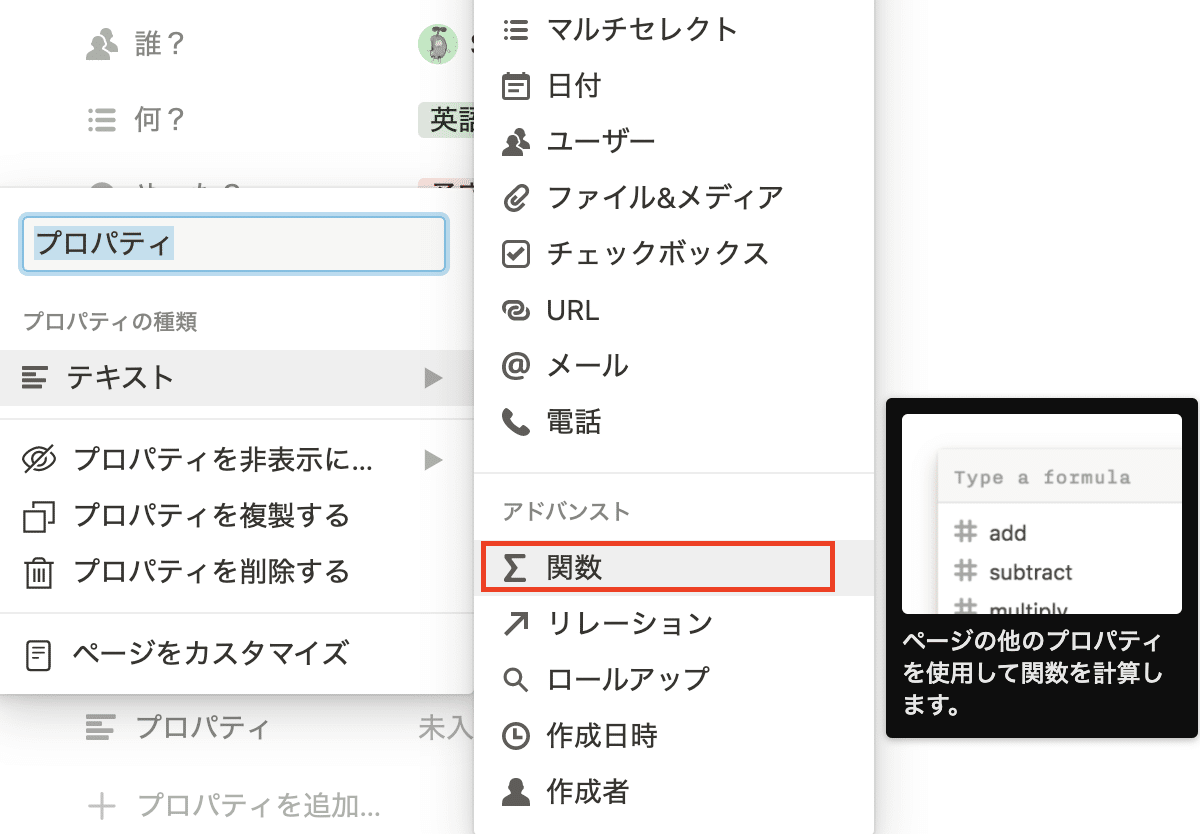
Then, input the datebetween command into the created property. In the “date?” part, enter the name of the calendar property you are using.
dateBetween(prop("date?"), now(), "days")This way, you can calculate the remaining days.
Next, set it up so that when the remaining days equal one, it triggers an action.
Just like before, add another formula property and copy and paste the following. In place of (remaining days), enter the name of the datebetween property you created earlier.
if(prop("Remaining Days") < 1, "yes", "no") == "yes"This way, a check will be marked when the remaining days are one!
Setting Up on the Gist Side
Once you’ve done this, there is just a little more to go!
First, link the gist following the steps (it will do it automatically). There’s no need to explain how to do this.
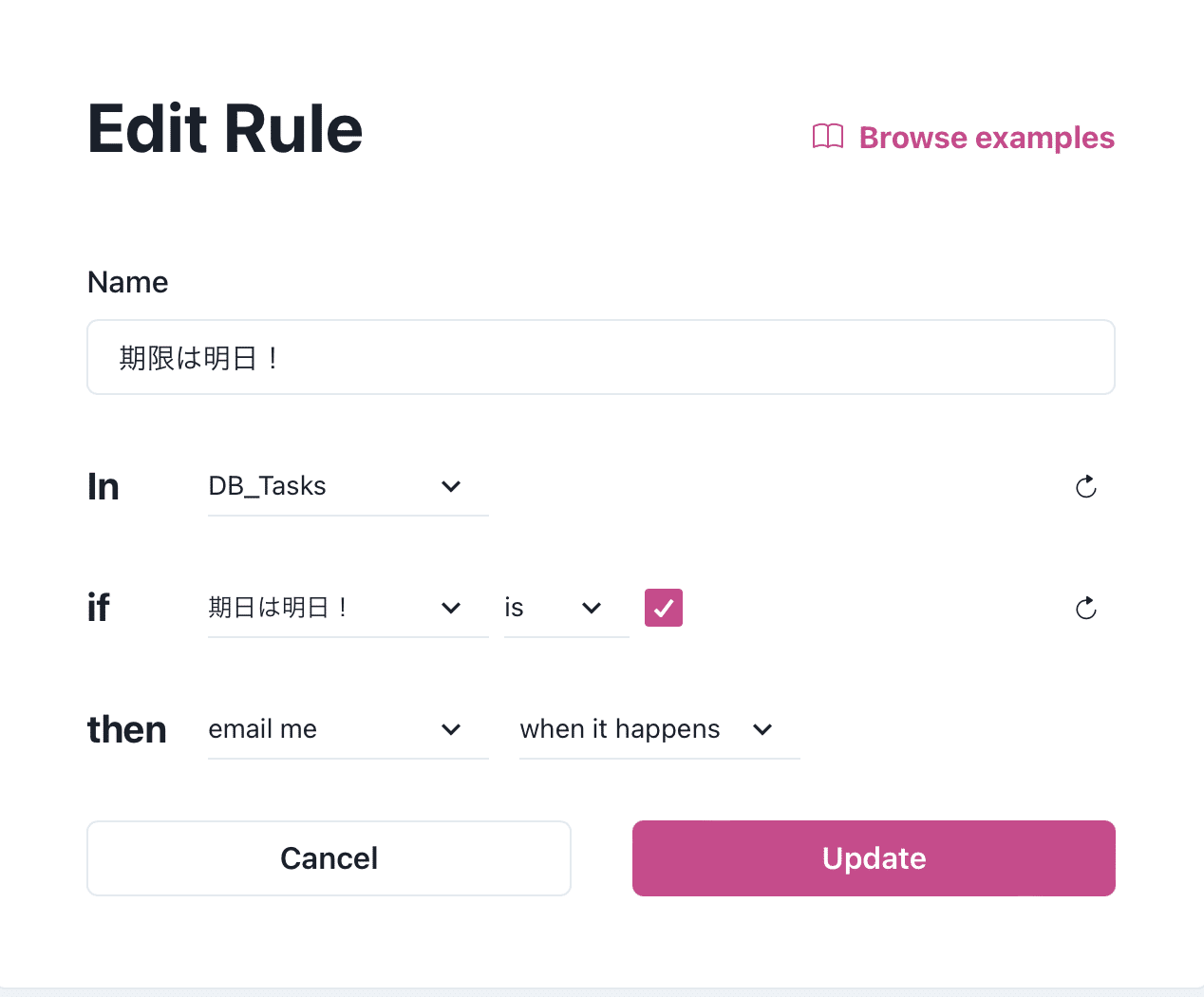
Name: Reminder name
In: Database name
if: Condition to be detected. Set the checkbox property name to be ✅
then: Action when detected. Here, we set it to notify via email when the check is marked.
If you input as above, you should receive notifications via Email. Great job!
There’s an Even Easier Way…
Actually, there’s another external tool called “Notion Automations” that allows two-way synchronization with Google Calendar. It’s more user-friendly than “the gist.” However, it’s priced at 500 yen per month, which might seem a bit too much for personal use.
“Notion Automations”
Price: five dollars (500 yen per month)
Function: Two-way calendar synchronization
0 people clapped 0 times
Related articles
🍳 XR's Use Might Be as a HUD - Let's Cook with AI
XR's Use Might Be as a HUD - Let's Cook with AI
I borrowed an inmo XR — Android-powered XR glasses — from Ukai, familiar from Mitou Junior, and did a little hackathon. After struggling with what to use it for, I built a cooking assistant to enjoy with an AI. I tried using the XR glasses to cook with AI, so I'll introduce that here.
💻 Let's Develop as a Team on GitHub
Let's Develop as a Team on GitHub
For those of you who have registered a GitHub account but don't use it because you're not a developer, here's a brief guide on how to use it.
🤖 Let's Read Google Sheets via API!
Let's Read Google Sheets via API!
This is a re-publication of an article I wrote on another site last year.
It's super easy. I'll...
🗓️ Thoughts on Life Logging Systems
Thoughts on Life Logging Systems
With the advancement of LLMs, it has become easier to verbalize human behavior and analyze conversations with others. However, I felt that none of it quite fit, so I thought about various aspects from both technical and usability perspectives.